


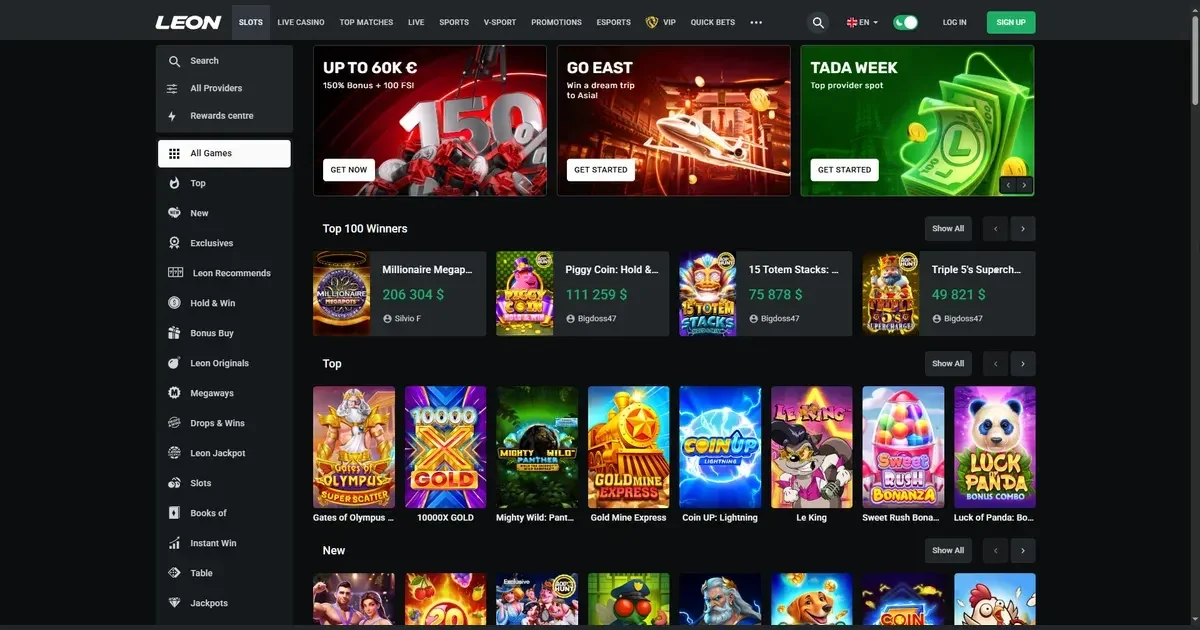
Mobile at Leon
Leon runs on mobile browsers without requiring a download. The platform adjusts to phone and tablet screens, letting you use the same account you would on a laptop. An Android app rewards users with 50 Free Spins on first install, giving those on compatible devices a reason to download rather than bookmark the site.
Access stays straightforward: type the operator's address into Safari, Chrome or your browser of choice, log in with your existing credentials, and the interface loads. No separate registration, no second password. What you deposited on desktop is there on your phone; a bet placed in the app shows up in your browser history.
The operator has built the experience around slots and sports betting from a device you carry everywhere. Live dealer tables, the cashier and support all render on smaller screens, though some layouts feel tighter than their desktop equivalents.
Installed app versus site in a browser
The Android app is the native option. Download it and you get a standalone icon on your home screen, 50 Free Spins as a welcome, and a layout tailored to touch rather than mouse. The app pulls from the same game library and the same account balance as the browser site.
Playing in a mobile browser needs no install and works across iOS, Android and any other platform with a modern browser. The downside: you need a connection every time you load a page, and switching between apps on your phone can reload the tab. Bookmark the operator's address and you'll reach it as quickly as an installed app.
Both routes offer:
- Full access to over 10,000 slots and live dealer games
- Deposits and withdrawals through the same methods as desktop
- Live chat support
- Responsible gambling tools – deposit limits, wagering limits and self-exclusion
The app has the edge on convenience – one tap and you're in. The browser route has the edge on flexibility – it runs on any device without chewing through storage.
Day-to-day use
Logging in takes the same credentials you use on desktop. Once you're past the welcome screen, the main navigation sits at the bottom: slots, live games, sports, promotions. Tap a category and the thumbnails load; tap a game and it opens full-screen.
The cashier mirrors the desktop version. Trustly, Skrill, Neteller, MuchBetter, Paysafecard and crypto options all appear in the deposit menu. Minimum deposit is 1 unit of currency or the limit your payment provider sets, whichever is higher. Withdrawal limits depend on your account tier – new users with cumulative deposits below €500 are capped at €250 per week and €1,000 per month; standard users between €500 and €5,000 in deposits can take out €500 weekly and €2,000 monthly; high-value users above €5,000 or those granted VIP status unlock €1,000 per week and €4,000 per month.
Verification happens on mobile the same way it does on desktop. When you request your first withdrawal, or when the operator's security checks flag an account, you'll be asked to upload a scan or photo of your ID – passport, national ID card or driving licence. A utility bill may follow. The upload form works in the browser and in the app; most phones let you snap the document and submit it in one flow.
Live chat sits in the bottom corner of every screen. Tap it and a support agent responds – the operator states 24/7 availability. Email support runs to [email protected] if you prefer writing out a longer question.
Games load quickly on a decent connection. A jackpot slot or a live blackjack table streams without obvious lag over 4G or Wi-Fi. Expect buffering on a weak signal, and expect older phones to warm up during a long session.
Known limits
Some layouts feel cramped on a phone smaller than six inches. The sports betting interface in particular packs a lot of information into a narrow column – odds, markets and your bet slip all compete for space. Tapping the wrong line is easy when the targets sit a few millimetres apart.
Live dealer tables stream in portrait or landscape, but the video feed shrinks to fit your screen. Chat with the dealer and other players still works; reading it on a small display means squinting. Table limits and your balance sit in the corner, legible but not generous with space.
Some older devices struggle with the operator's heavier slots – anything with elaborate animations or a progressive jackpot can stutter on a phone more than two or three years old. The browser site tends to reload when you switch apps, which means a game in progress might not survive a quick check of your messages.
Battery drain is real. An hour of live dealer play or sports betting with live updates running will cost you 20–30% of a full charge, more if your screen brightness is high. Keep a cable handy if you plan a longer session.
What to check first
Before you stake anything from a phone:
- Confirm the address. Type it yourself rather than following a link from a message or an ad – phishing pages that mimic the operator's layout are a persistent problem on mobile.
- Check your connection. A dropped 4G signal mid-spin won't void a completed game round, but it will interrupt live dealer play and may time out a bet slip you were filling.
- Set a deposit limit before the session, not during it. The responsible gambling menu lets you cap daily, weekly or monthly deposits. Doing it before you log in on your phone means you won't blow past a budget in a moment of poor judgment.
- Sign out on a shared device. If someone else uses your phone or tablet, logging out after every session is the only reliable way to keep your account secure. Face unlock and fingerprint login are convenient, but they won't help if you hand the device to someone who already has access.
Leon's mobile experience trades some desktop polish for the freedom to play from anywhere. The browser site covers every device without an install; the Android app adds a native feel and a 50-spin welcome. Both give you the full game library, the full cashier and the same limits and tools you'd find on a laptop. What you lose is screen space and, on older hardware, performance. What you gain is a casino that fits in your pocket.
Gambling should be entertainment, not a chore. The National Gambling Helpline offers free, confidential support 24/7 on 0808 8020 133, and BeGambleAware provides guidance, self-assessment tools and treatment referrals. GamStop is the UK's free national self-exclusion scheme. If you share a device with anyone under 18, parental-control software such as Net Nanny or Qustodio can block access. You must be 18 or over to view this content (18+).
This page is for information and marketing purposes only. We are not a casino operator, a bookmaker or an organiser of gambling. Access to this content is restricted to persons aged 18 and over (18+). We encourage you to gamble responsibly – for free, confidential support visit BeGambleAware.org.